



Relevant questions
Quote & Book
Give customers an estimate before you call back.
Customers describe one or more jobs, add photos and answer relevant questions. Quote & Book uses your pricing rules to give an initial labour estimate in around a minute, then lets the customer send a Booking Request for you to review.
How Quote & Book works
From a vague enquiry to a job you can properly review.
- Job description01 — Describe one or more jobsCustomers explain what needs doing in normal language, whether it’s one repair or several jobs they want done in the same visit.
- Questions02 — Answer the questions that matterSitebear asks for details that affect the labour or price. If something important is still missing, it can ask one further round of questions.
- Photos03 — Add photos of the workCustomers upload photos showing the job, condition or access, giving you more useful information before you spend time following it up.
- Initial estimate04 — Get an estimate in around a minuteQuote & Book applies your hourly rates, fixed-job prices and pricing rules to the information supplied and shows the customer an initial labour estimate.
- Booking Request05 — Choose a preferred timeThe customer chooses a preferred date or time and sends the job details, answers, photos and estimate as a Booking Request.
- Business review06 — You decide what happens nextThe request arrives in Sitebear Portal and you get a phone notification. You can accept it, change the time, decline it or ask for more information.
Built to save quoting time
Get the details you need without giving up control.
Quote & Book handles the repetitive early work of understanding the job, asking useful questions and applying your pricing. You still decide which jobs to take and what happens after the estimate.Your pricing
Base the estimate on the rates you set.
AI helps understand the job. It doesn’t invent your price.Quote & Book uses your hourly rates, fixed-job prices and pricing rules, so the estimate reflects how your business prices the work.Better-qualified work
Qualify the job before you spend time on it.
See the description, answers, photos and estimate together.By the time the Booking Request reaches you, you have much more to judge the job from. That cuts repetitive back-and-forth, helps reduce wasted call-outs and makes it easier to move good jobs forward.Business control
Turn the estimate into a request — not an automatic booking.
You review the work before it is confirmed.Accept the request, change the time, decline it or ask for more information in Sitebear Portal. When the job needs a formal price, you can send the quote and later the invoice through Sitebear and Customer Hub.Customer story
See how Tyneside Handyman uses Quote & Book.
A Sitebear customer using Quote & Book.Tyneside Handyman uses Quote & Book to collect multiple jobs, relevant answers and customer photos before reviewing the request and continuing the work through Sitebear.Read the Tyneside Handyman story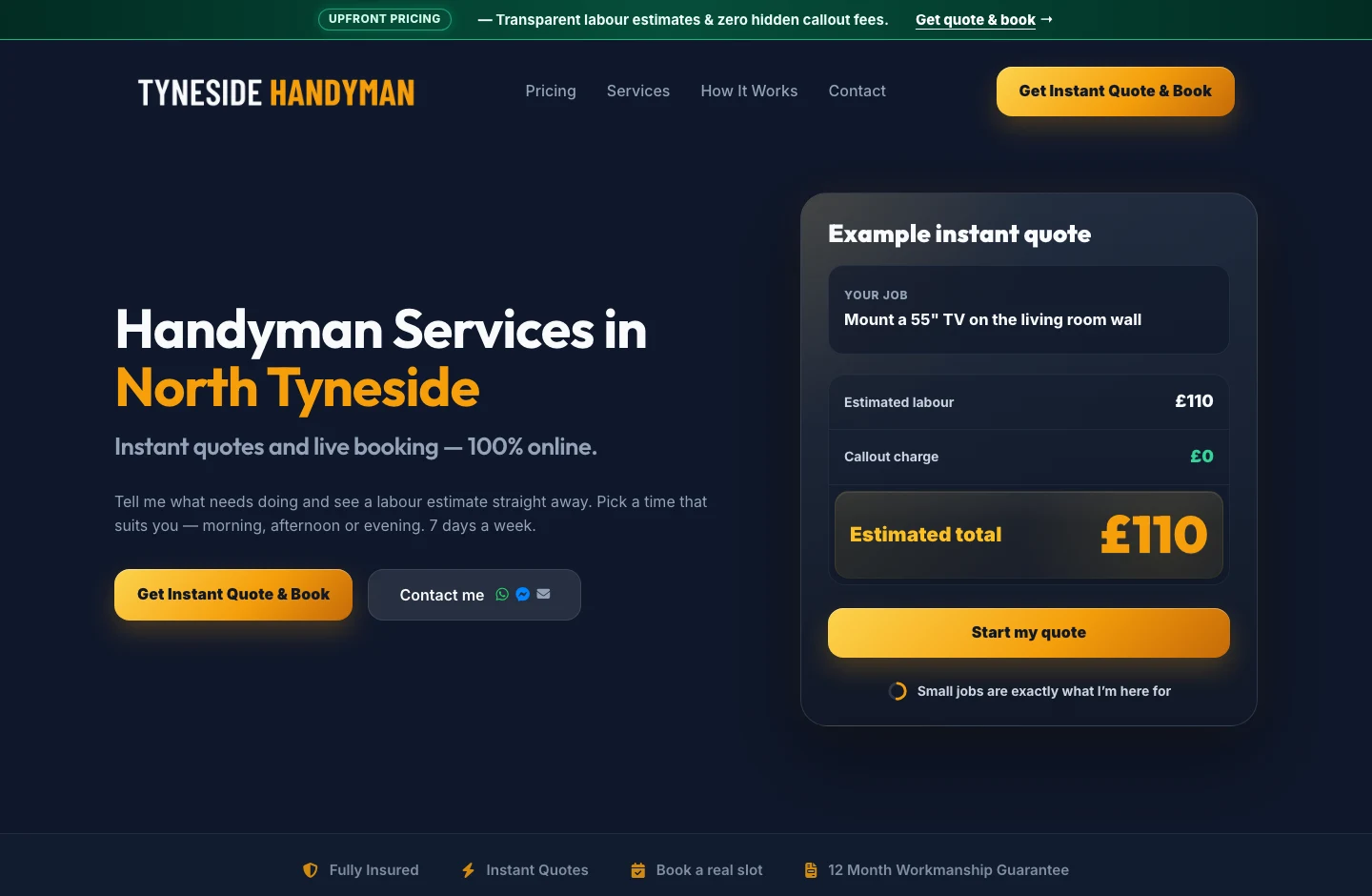


Questions about Quote & Book
Is the estimate a final quote?
No. It is an initial labour estimate based on the information the customer supplies and the pricing rules set by your business. You review the job before confirming the work or sending a formal quote.
Are materials included?
Quote & Book estimates labour by default. Materials are included only when your own pricing model includes them.
Who decides what my business charges?
You do. Quote & Book uses your hourly rates, fixed-job prices and pricing rules. AI helps understand the job and the customer’s answers; it does not invent your rates.
Can customers describe several jobs and upload photos?
Yes. Customers can describe one or more jobs in the same journey and add photos to help explain the work.
What happens if Sitebear still needs more information?
Quote & Book can ask one further round of questions before preparing the estimate. You can also ask for more information after receiving the Booking Request.
Is the Booking Request automatically confirmed?
No. You review the request and decide whether to accept it, change the time, decline it or ask for more information.
What happens after I review the request?
You can continue the job through Sitebear Portal, including sending a formal quote and later an invoice. Customers can review the relevant documents through Customer Hub.
How much does Quote & Book cost?
Quote & Book costs £79/month + VAT and can be added to any Sitebear package.
Quote & Book
Spend less time chasing job details before you can quote.
Book a demo and we’ll show how Quote & Book handles the kinds of jobs your customers actually send you — from the first description and photos to the estimate and Booking Request.




- Job Described
- Details Clarified
- Estimate Shown
- Request Reviewed